![[logo]](logo.png)
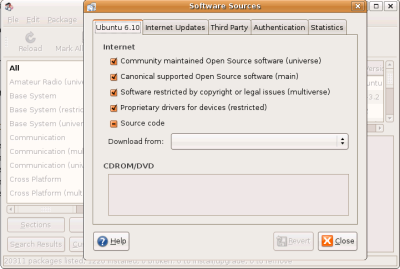
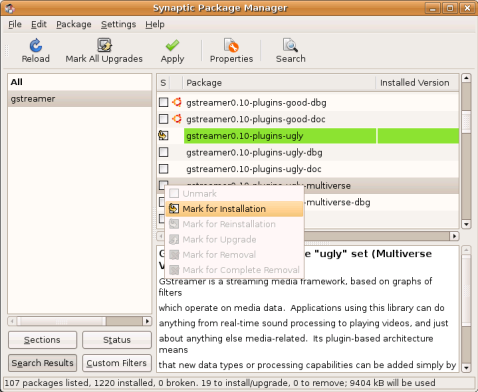
System.. Administration.. Synaptic Package Manager Settings.. Repositories.. On the Ubuntu 6.10 tab, make sure you have "Community maintained ... (universe)" and "Software restricted by ... (multiverse)" checked. If not, check them and click "Close". If you had to check either of the previous items, click the "Reload" button. Click the "Search" button and type in the keyword "gstreamer". GStreamer is a multimedia management framework used with the Gnome desktop. Find the following packages in the search results, click them and mark them for installation.
- gstreamer-0.10-plugins-ugly
- gstreamer-0.10-plugins-ugly-multiverse
- gstreamer-0.10-plugins-bad
- gstreamer-0.10-plugins-bad-multiverse
- gstreamer-0.10-ffmpeg
 |
 |